Dispatch docket · illustrativeNo. 0412
- Event
- CI failed on #42
fix-login-redirect - Rule
- Auto-fix CI, opted in for this PR
- Crew
- osaka, tab 1 · Claude Code
- Budget
- fix 1 of 2 this commit · 1 of 5 this PR
- Also
- Slack → you (ci-failed rule)
Dispatch office · open while Foreman runs
Foreman is a free, open-source desktop app for macOS and Windows that runs AI coding agents in parallel. Claude Code, Codex, Cursor and OpenCode each work in their own git worktree on their own branch, while you review diffs, answer questions and open pull requests from one window.
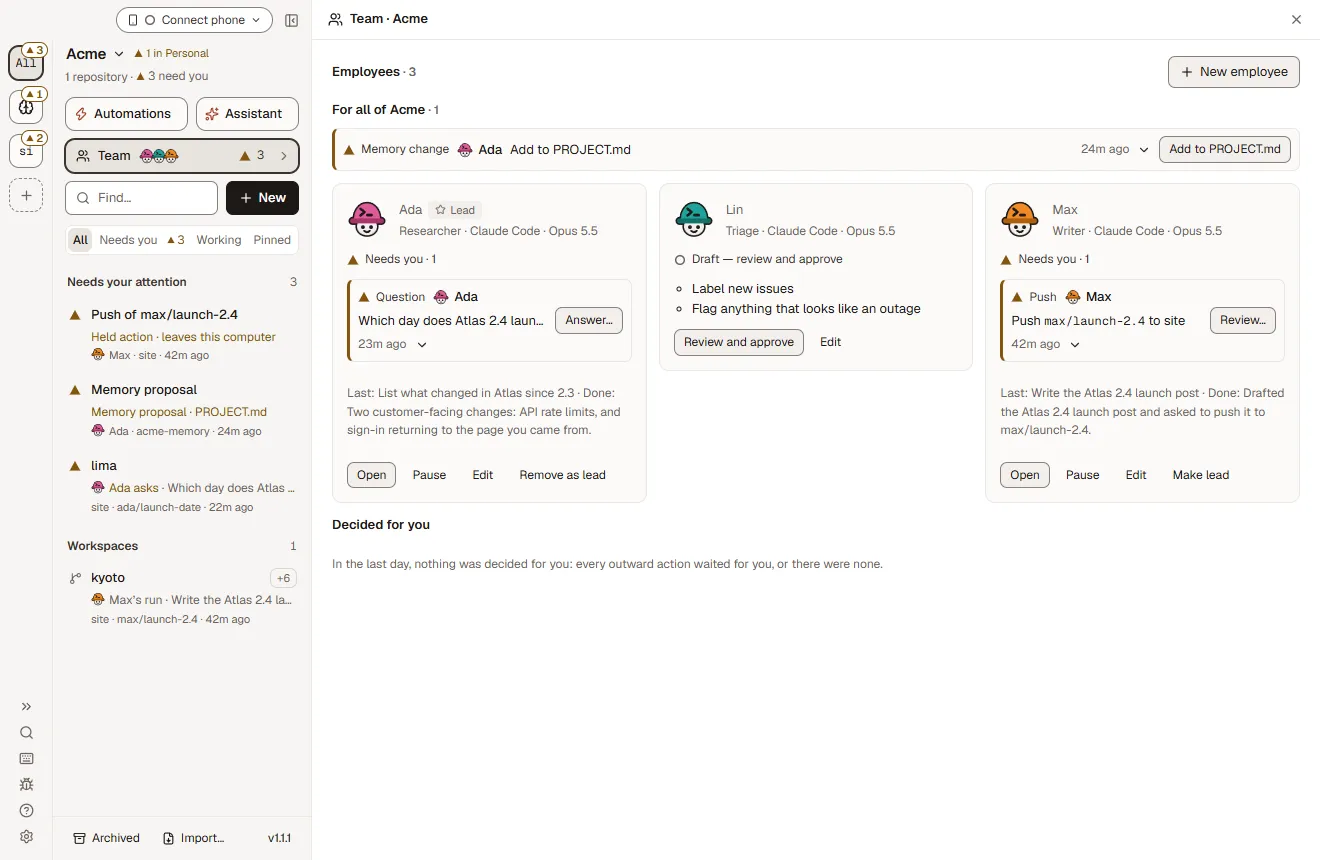
CI fails, a pull request merges, Linear assigns an issue: each event goes to the crew member you chose, in a worktree of its own.
Dispatch docket · illustrativeNo. 0412
fix-login-redirectTry it · repo atlas
Send an event, or let them arrive. Each one is routed by the rules on the right to a hard hat, a worktree and a lane. Switch a rule off and watch where the work goes instead.
You
Clock
Channel
GitHub
Git
Linear
Memory
| Time | Event | Crew | Track | Status |
|---|---|---|---|---|
| 09:38 | @PRIYA | Priya | #rate-limits · plan | ASKS |
| 09:31 | MERGED #57 | Theo | docs-after-57 · fresh | ARRIVED |
| 09:20 | LINEAR ENG-311 | Ravi | eng-311-session-timeout | ARRIVED |
| 09:12 | CI FAILED #42 | Auto-fix | osaka · fix-login-redirect | ARRIVED |
| 09:00 | SCHEDULE 09:00 | morning-triage | kyoto · triage-2026-11-18 | ARRIVED |
Ticket No. 41509:38
@Priya in #acme
Priya#rate-limits · plan
Lands in: Needs you
Always routed, no rule needed: you asking, schedules and @Priya.
Draft PRNo. 414
#58 docs: rate limits from #57
Theo pushed docs-after-57 and opened a draft pull request.
Draft PRNo. 413
#63 ENG-311: sessions expire too early
Ravi pushed and opened a draft pull request.
PushedNo. 412
#42 · fix pushed, CI running again
Fix 1 of 5 for this pull request · Foreman never claims CI recovered; the PR watch reports it.
BranchNo. 411
kyoto · triage-2026-11-18
+46 −0 · 9 issues labelled · workspace kept
SentNo. 412
To you · CI failed on #42
fix-login-redirect · 2 failing checks. Messages to yourself send without asking.
QuestionNo. 415
Priya has 2 questions before she plans
Per user or per API key? And what should a blocked request get back?
Send answersPlan with what you have
Held SlackNo. 414
Post to #eng: “Merged #57: rate limits”
A message to anyone but you waits for Send unless the rule has your consent.
SkipSend
Held LinearNo. 413
Move ENG-311 to In Review?
Linear changes wait for you. Foreman doesn’t change issue status by itself.
SkipApprove
bots/e-3fq9.tomlThe rule behind the selected route
$ foreman pr auto-fix osaka on --tab 1
# Shows the tab, its agent, what it may do without asking,
# the exact instructions and the budget, then asks.
# Budget: 2 fixes a commit, 5 a pull request, 20 min each.
# Failing CI only. Review comments never start it.
$ foreman slack rules add --event ci-failed \
--recipient me --repos atlas
# To you: it sends without asking.[[triggers]]
kind = "event"
source = "pull-request"
on = ["merged"]
repo = "atlas"
prompt = "Update the docs for what this pull request changed"
debounce = 60 # events within a minute become one run
overlap = "skip"
enabled = true$ foreman slack rules add --event pr-merged \
--recipient channel --channel eng --repos atlas
# Mode "ask" by default: each message waits for Send or Skip.
$ foreman slack rules consent 3fa91c2b
# Prints exactly what would go out, and to whom, and asks.[[triggers]]
kind = "event"
source = "pull-request"
on = ["review-requested"]
repo = "atlas"
authored_by = "people" # or "anyone", "employees"
prompt = "Review it against what was asked; say what breaks"
enabled = true[[triggers]]
kind = "event"
source = "pull-request"
on = ["changes-requested"]
repo = "atlas"
authored_by = "employees"
prompt = "Address the requested changes on your branch"
enabled = true$ foreman slack rules add --event pr-approved \
--recipient me --repos atlas$ foreman repo settings set git.warn-base-moved on --repo atlas
# Fetches the base and asks git whether each branch still merges.
# One notice per base tip. Never rebases, merges or starts an agent.[[triggers]]
kind = "event"
source = "base-moved"
repo = "atlas"
prompt = "Merge main into release/2.4 and keep the checks green"
enabled = true[[triggers]]
kind = "event"
source = "linear"
on = ["assigned"] # polled every 5 minutes
team = "ENG"
label = "bug"
repo = "atlas" # where the work happens
prompt = "Fix the issue with a test and open a draft PR"
debounce = 60
enabled = true[[triggers]]
kind = "event"
source = "memory"
paths = ["memory/org/docs/**"] # commits Foreman made
repo = "atlas"
prompt = "Bring the user docs in line with the new notes"
enabled = trueOne Slack rule8 events · outbound only
$ foreman slack rules add --event pr-merged \
    --recipient channel --channel eng --repos atlas
# Mode "ask" by default: each message waits for Send or Skip.
$ foreman slack rules consent 3fa91c2b
# Prints exactly what would go out, and to whom, and asks.Timetable
You, a schedule, @Priya, and events: failing CI (with auto-fix), pull request events, the base branch moving, a Linear assignment and a memory commit. Events start AI employees and the opt-in auto-fix; plain templates and schedules have no event triggers.
| Event | Starts an agent? | What else reacts | How it's heard |
|---|---|---|---|
| You ask: the app, the CLI or your phone | Yes: a new workspace, with any agent you signed in | You choose the agent and the branch | When you ask |
| A schedule | Yes: a template or a flow, on Claude Code | Skipped, not replayed, if Foreman wasn’t running | On the clock, in your time zone |
| @Priya in a channel | Yes: Priya plans; the parts start after you approve | Her questions come first, on one card | When you post |
| CI fails on a pull request | Yes, if you opt in: auto-fix sends the logs to your tab. Employee trigger ci-failed | Slack rule ci-failed · a row on Home | PR watch |
| A PR is merged, gets a review request, changes requested or approved | Yes: AI employee triggers merged, review-requested, changes-requested, approved | Slack rules pr-merged, review-requested, changes-requested, pr-approved | PR poll, every 2 minutes at most |
| New review comments | No | A notification. Send a comment to a tab with a click | PR watch |
| The base branch moves | Yes: employee trigger base-moved | Base-moved notice (opt-in): never rebases, merges or starts an agent | Every 5 minutes |
| A Linear issue is assigned | Yes: employee trigger linear, by team and label | The issue is still there for New workspace | Polled every 5 minutes, only while a trigger exists |
| A memory-repo commit | Yes: employee trigger memory, by path | Only commits Foreman made; an employee’s own never wakes it | At once |
| A turn finishes | A read-only reviewer, if you opt in to auto review | Checks after a turn run commands, never an agent | After 2 idle minutes |
Arrivals
On a branch in its own worktree first, then as a pull request, a Slack message or a card in Needs you. Anything that goes to other people or changes Linear waits for your button.
Platform 1
Every workspace is its own git worktree on its own branch. Agents never step on each other, and your main checkout stays clean. You read every change as a diff, and checkpoints rewind any turn.
Platform 2
Since 1.2.4, AI employees push and open draft pull requests without waiting. You merge, or auto-merge when the checks pass, and open PRs in GitHub or Graphite. GitLab merge requests work too.
Platform 3
Notification rules for 8 events. A message to anyone but you waits for Send or Skip unless the rule has your consent. Nothing comes back from Slack; you answer in Foreman.
review-requestedpr-readyci-failedchanges-requestedpr-approvedpr-mergedagent-needs-meagent-finishedPlatform 4
Questions, gates, held Slack posts and Linear changes, each as a card with the exact preview. Nothing that leaves your computer has a keyboard shortcut.
The rest of the yard
Dispatch sits on top of the everyday app: agents in parallel worktrees, flows that loop until green, control from your phone, remote sandboxes and a command line for scripts.
Radio · remote control
Pair your phone with a QR code to approve, steer and comment on diffs, live. Away from home it connects over your own Tailscale network, with no Foreman relay. A browser on another computer can open the whole app.
Same Wi-Fi connects directly. The phone reads terminals but can't type into them, and can't answer an employee's held actions.
Native apps
Today: pair your phone with a QR code and add the phone view to your Home Screen.
Track 01
Every workspace is its own git worktree on its own branch. Agents never step on each other, and your main checkout stays clean.
Tiles shows several workspaces side by side so you can step in where you are needed. Built for 10 to 12 agents running at once.
Track 02
Write a way of working down once as a graph of agent steps: loops that run until the checks pass or a review comes back clean, and gates where you decide.
11 built-in flows. Experimental: Settings → Experimental → Flows.
Track 03
Run a workspace's worktree and agent in a sandbox on your own E2B, Daytona, Vercel Sandbox or Docker account. Provider keys never enter the sandbox, and turns keep going after you close the app. Experimental.
Claude Code, Codex and OpenCode, not Cursor. Needs a GitHub remote. Experimental.
Track 04
Every workspace agent gets a foreman-app MCP server to check its status, run checks and, if you allow it, hand tasks to other agents. A Claude Code or Codex session you run yourself can sign in to Foreman over MCP.
The MCP server isn't provided to agents in remote sandboxes.
Track 05
Open, merge and auto-merge pull requests, watch CI and reviews, start work from a Linear issue, send Slack notifications and read Langfuse traces. Each connection gets the agent access you choose: nothing, read, or read and write.
Slack is outbound only. An AI employee’s Slack posts and Linear changes wait for you.
Track 06
Almost everything in the window works from a terminal with the foreman command. Every command takes --json and exit codes are stable, so scripts and CI can rely on them.
Exit codes are the same for every command.
Other depots
Foreman is open source under Apache-2.0 and runs on Windows as well as macOS, while Conductor is a closed-source Mac app. Only Foreman lists AI employees, scheduled automations and auto-fix CI.
—A dash means not listed on their site
| Feature | Foreman | Conductor | T3 Code |
|---|---|---|---|
| Open source | Apache-2.0 | No | MIT |
| macOS | Yes | Yes | Yes |
| Windows | Yes | Mac only | Yes |
| One git worktree per agent | Yes | Yes | Yes |
| Agents | Claude Code, Codex, Cursor, OpenCode, any ACP agent | Claude Code, Codex, Cursor | Claude Code, Codex and more |
| Flows that loop until checks pass, with human gates | Yes | — | — |
| AI employees with git-backed memory | Yes | — | — |
| Scheduled automations and auto-fix CI | Yes | — | — |
| Your own cloud sandboxes (E2B, Daytona, Vercel, Docker) | Experimental | — | — |
| Scriptable CLI, --json on every command | Yes | — | — |
| Approve from your phone | Yes | — | Yes |
| No account, no telemetry upload | Yes | — | — |
First shift
Or dispatch from a terminal
Start a workspace from a template and wait for the turn
foreman run fix-a-bug "the login page loops after sign-in" --repo atlas --waitSee what is waiting for you
foreman approvalsOpen a draft pull request
foreman pr create atlas --draftEvery command takes --json. CLI reference
Foreman is a free, open-source desktop app for macOS and Windows that runs AI coding agents in parallel. Claude Code, Codex, Cursor and OpenCode each work in their own git worktree on their own branch, while you review diffs, answer questions and open pull requests from one window.
Yes. Foreman is free and licensed under Apache-2.0, with the full source on GitHub at github.com/elite-build/foreman. There is no paid tier, no account and no Foreman cloud service.
Foreman runs Claude Code, Codex, Cursor and OpenCode, plus any agent that speaks the Agent Client Protocol (ACP). Each agent signs in with your own subscription or API key, set in Settings → Agents.
Add a git repository to Foreman and create one workspace per task. Each workspace is a separate git worktree on its own branch, so several Claude Code sessions edit the same repository at once without conflicts. Tiles shows them side by side.
A git worktree is a second checkout of the same repository on a different branch. Giving each agent its own worktree means agents never overwrite each other's files, every change lands on a reviewable branch, and your main checkout stays untouched.
Only through the agents you choose. Foreman runs locally with no account and no telemetry upload; your agents talk to their own model providers. In your own workspaces, an approval marks any command that leaves your computer before it runs, and AI employees hold Slack posts and Linear changes for you.
Only if you want them to. Approvals are a setting: with Claude Code tool approvals on (Settings → Account), each command is spelled out part by part before it runs, anything that leaves your computer is marked, and Always allow shows exactly what it adds. Every agent still works in its own worktree, and checkpoints rewind any turn.
Foreman runs on macOS (Apple Silicon, signed and notarized) and Windows. You need Git on your PATH and a login or API key for at least one agent.
Yes. Any saved prompt template can run hourly, daily, weekly or monthly in your time zone, and opt-in auto-fix sends failing CI logs to your agent. Scheduled runs use Claude Code and happen while Foreman is running, which can be without a window or from login.
Yes. Pair a phone with a QR code to answer approvals, steer agents, comment on diffs and read terminals, live. On the same Wi-Fi it connects directly, and anywhere else through your own Tailscale network. Native iOS and Android apps are coming soon.
Yes, as an experiment. A workspace's worktree and agent can run in a sandbox on your own E2B, Daytona, Vercel Sandbox or Docker account, for Claude Code, Codex and OpenCode. Provider keys stay on your computer and never go into the sandbox.
GitHub (pull requests, merges, CI and reviews), GitLab, Linear, Slack and Langfuse, plus MCP. Each connection has a default per service, each repository can pick its own, and you choose what agents may do with it: nothing, read, or read and write.
Foreman is open source under Apache-2.0 and runs on Windows as well as macOS, while Conductor is a closed-source Mac app. Foreman also drives OpenCode and any ACP agent, and adds flows that loop until checks pass, AI employees and a scriptable command line.
Both are open-source GUIs for coding agents. Foreman adds flows (agent graphs that loop until tests pass, with human gates), AI employees with a git-backed memory, a foreman CLI where every command takes --json, phone approvals and remote sandboxes.
Yes. The foreman command starts workspaces, sends messages, answers approvals, opens and merges pull requests and runs flows. Every command takes --json and exit codes are the same for every command.
Foreman is three weeks old with 31 releases since 1.0.0 on 27 October, built in the open under Apache-2.0. Star it to hear about the next one, fork it, or take a good first issue.